
Create Wallet Passes with the AddToWallet Zapier Integration
Automate wallet pass creation using Zapier? With the AddToWallet integration, you can generate personalized Apple Wallet and Google Wallet passes from your favorite apps and automatically send them to users. In this guide, we'll use Google Forms as an example, but the same setup works with thousands of other Zapier-supported apps.
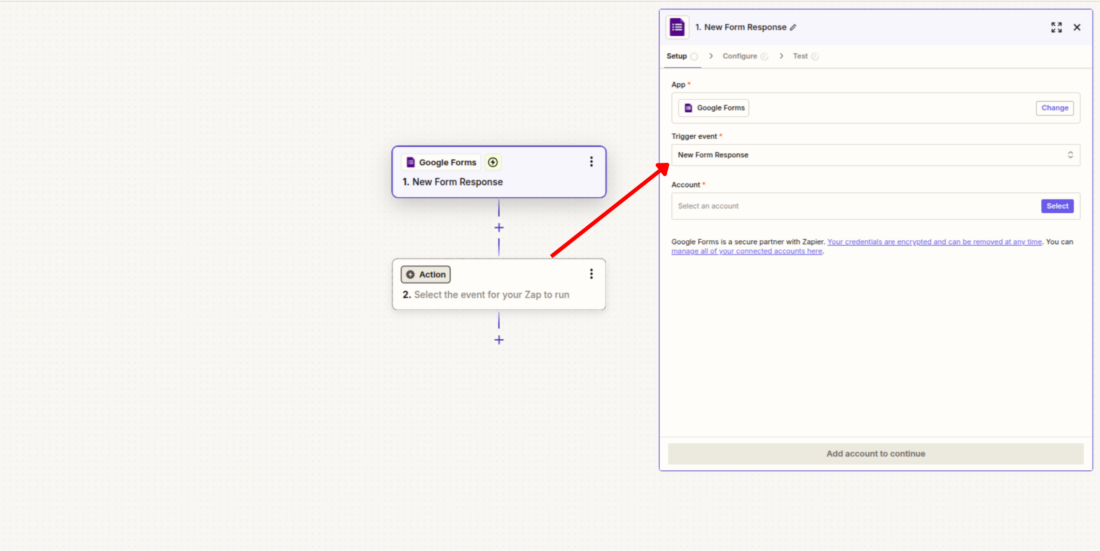
Step 1: Create Your Zap and Choose a Trigger
- Open your Zapier dashboard and click Create Zap.
- Select Google Forms as your trigger app (or any other supported app) and choose New Form Response as the trigger event.
Step 2: Load Sample Data
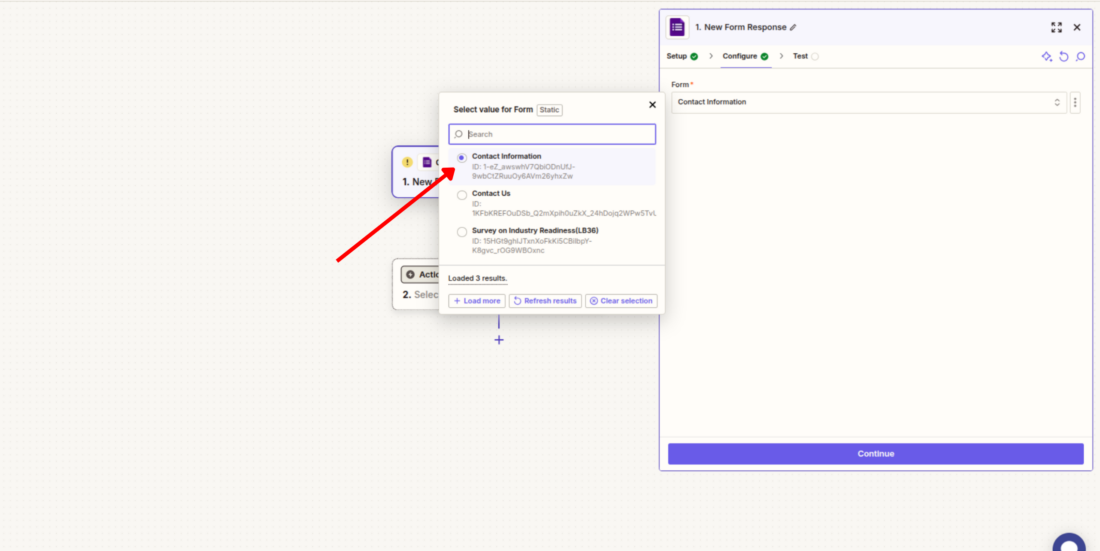
- Select the form you want Zapier to monitor.
- Click Find New Records to import a recent submission, then choose one of the records and continue.
This sample data will be used to map information in the following steps.
Step 3: Connect AddToWallet
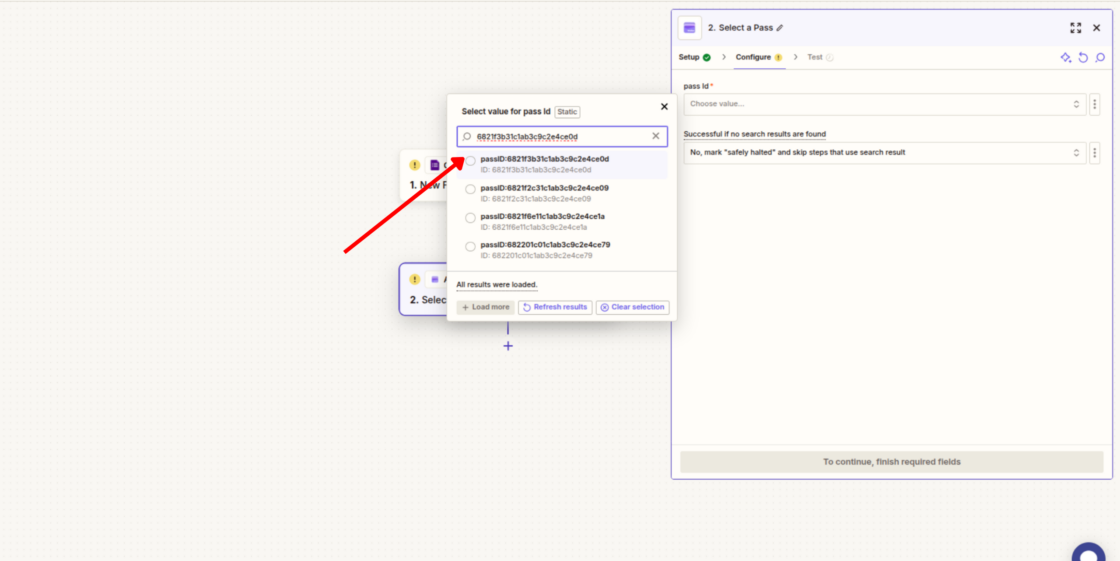
- Add a new action and search for AddToWallet.
- Choose the Pass action and connect your AddToWallet account using your API key.
- Select the wallet pass template you'd like to use, then click Test Step to load the available fields from your template.
Step 4: Create the Wallet Pass
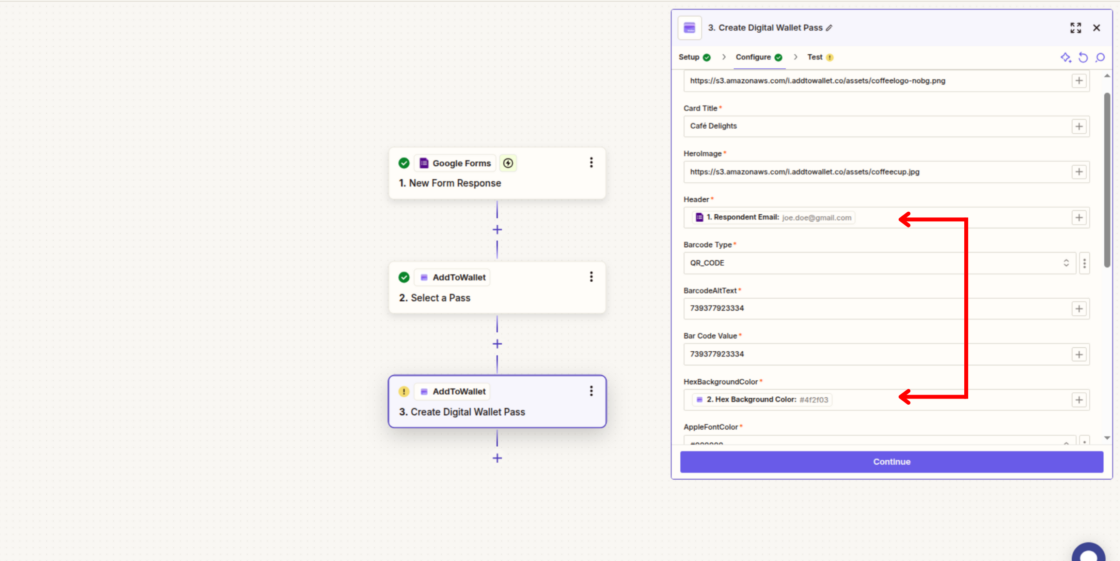
- Add another AddToWallet action and select Create Wallet Pass.
- Reuse your existing AddToWallet connection and map data from your trigger to the pass fields.
- For example, you can map form responses to the pass header, text fields, QR code, colors, or other customizable fields available in your template.
Step 5: Deliver the Pass
- Add a final action such as Gmail and choose Send Email.
- Map the recipient's email address from your trigger data and include the pass_url returned by the Create Wallet Pass action in your email body.
- Complete the remaining email fields, test the workflow, and publish your Zap.
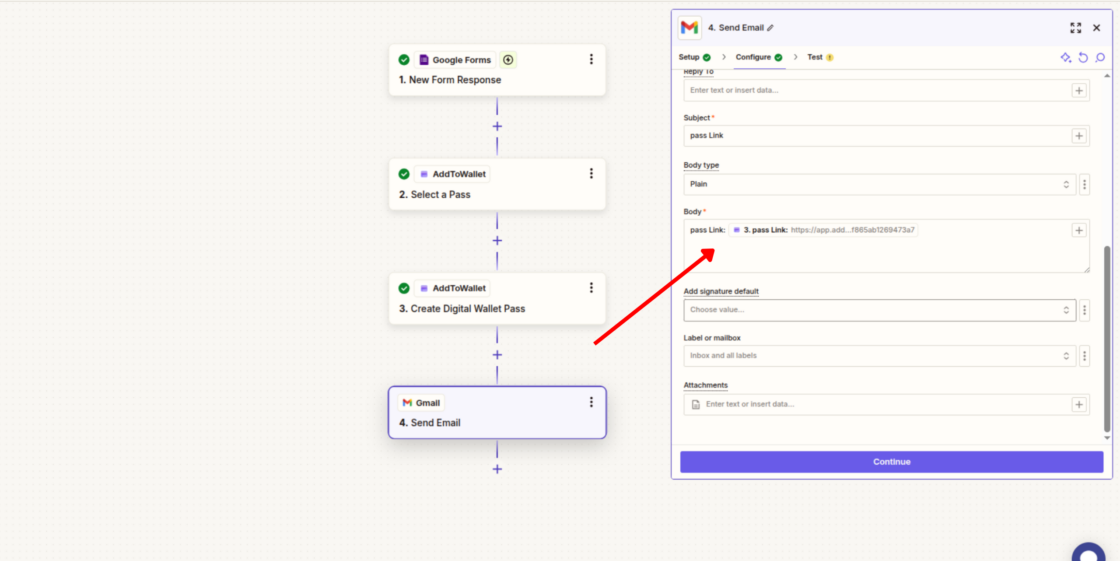
That's it! You've created an automated workflow that turns incoming data into personalized wallet passes and delivers them automatically. While this tutorial uses Google Forms, you can replace it with virtually any Zapier-supported app to build automations that fit your business needs.
Get Started For Free
Join the expanding network of more than 10k+ users
No credit card needed to start trial
addtowallet.co © All Rights Reserved